Tracking your trades across multiple brokers is frustrating—and spreadsheets are a nightmare to maintain. PNLParse makes it effortless.
Brokers make it easy to trade—but not to understand your results. If you use multiple brokers, tracking everything manually becomes nearly impossible.
What is PNLParse?
PNLParse reads the transaction files you download from your brokers and provides detailed insights on your trades, along with portfolio performance metrics.
No spreadsheets. No cloud uploads. Just clean, private analytics on your own computer.
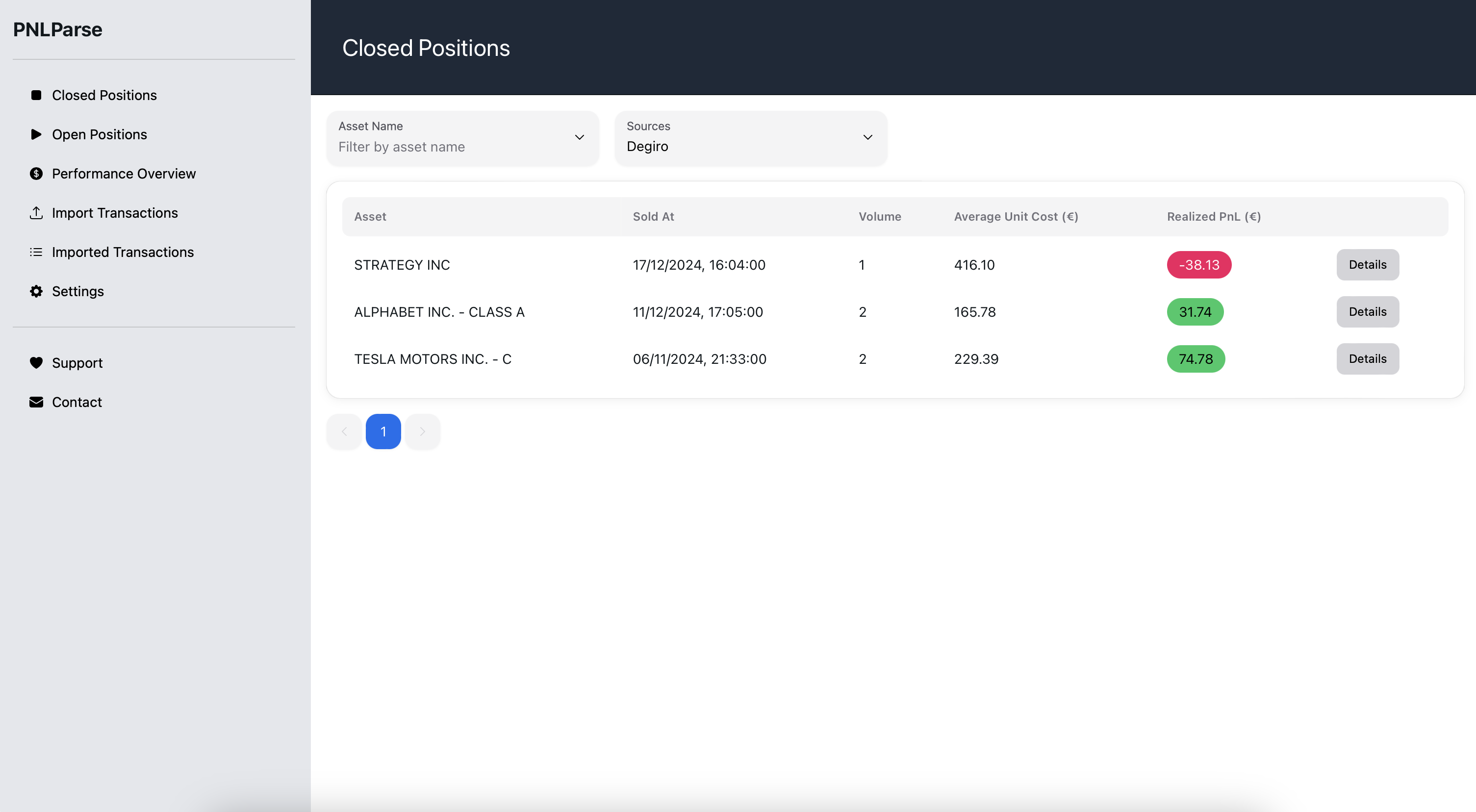
Privacy First
Most analytics tools are SaaS, which means your trading data leaves your computer.
PNLParse runs entirely offline. Your trades never leave your machine.
Download
PNLParse is available for Windows, Linux, and macOS.
MacOS users:
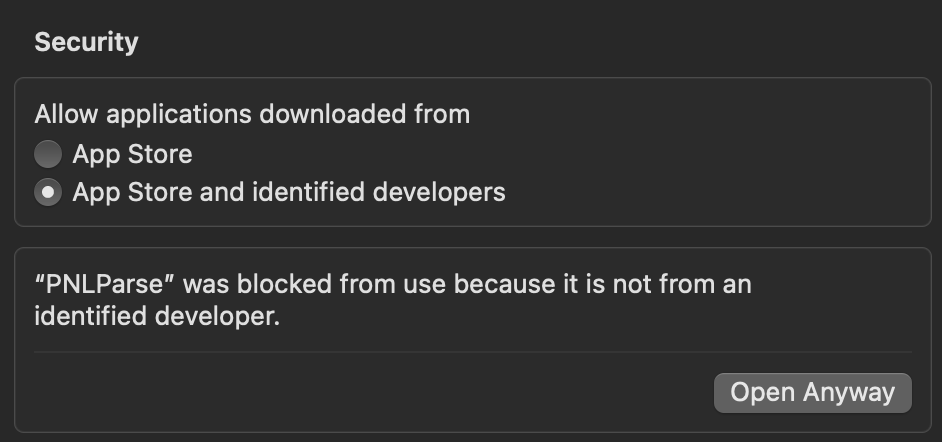
Since PNLParse is not yet registered on the Apple Store, you may see a security warning when launching the app. To bypass it:
- Open System Settings → Privacy & Security
- Scroll to find PNLParse was blocked from use
- Click Open Anyway and launch the app again
If you are on Apple Silicon and see "PNLParse" is damaged and can't be opened, use the Intel version instead.
Supported Brokers
PNLParse can import transactions from any broker via a custom CSV format.
Some brokers are natively supported for simplicity. If yours isn't, feel free to create a Pull Request.
PNLParse makes trading analytics simple, fast, and private so you can focus on trading, not spreadsheets.